

Small Victories Monarch Budget Model 02
Most budgets don't break because someone overspent. They break because the setup mixes things that behave differently. A "Home" category ends up holding the mortgage, a new sofa, and an emergency plumber, and suddenly it's impossible to tell whether anything is actually off.
The fix is a structure with three layers, where each layer answers one question. It's the layout we use when we set up a Monarch budget with clients, and you can adapt it to any household.
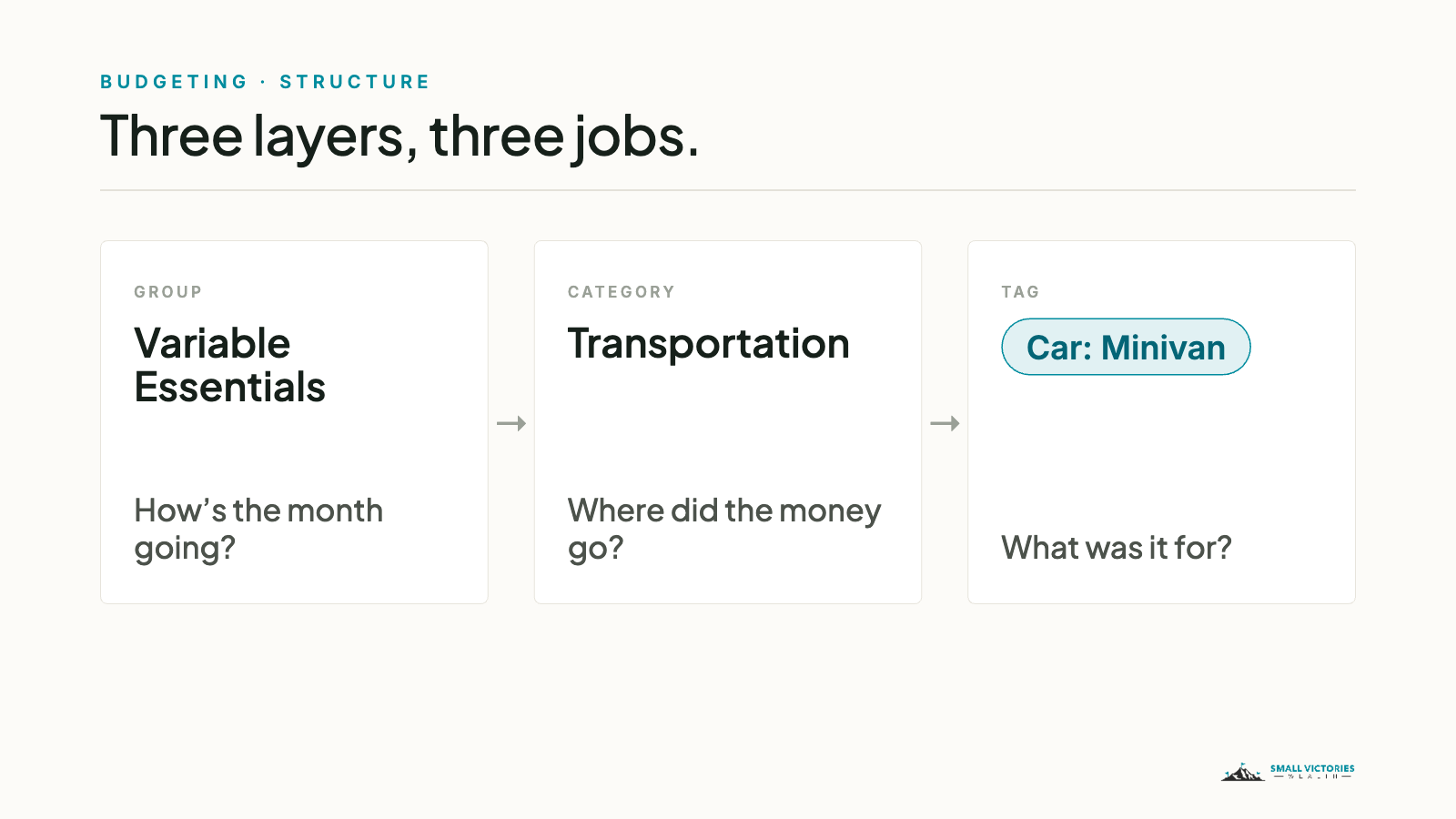
Three layers, three jobs
Groups answer "how's the month going?" They're the big picture: five buckets you can check in thirty seconds.
Categories answer "where did the money go?" This is where you set monthly amounts.
Tags answer "what was it for?" They cut across categories, so you can total a trip, a kid, or a car without adding anything to your budget.
Most of your time lives at the top layer. You look at groups every month, open up categories only when a group moved, and reach for tags when you have a specific question.
Groups: sort by how the money behaves
This is the part most people get backwards. The instinct is to group by topic, putting everything for the house together and everything for the kids together. But topic doesn't tell you anything useful about a month. Behavior does.
So ask two questions about any expense. Is it about the same amount most months? Then it's a Bill. Is it zero most months, then a big hit? Then it belongs in Irregular / Buffer, and you set a little aside for it every month. Everything else lands in one of the other three.
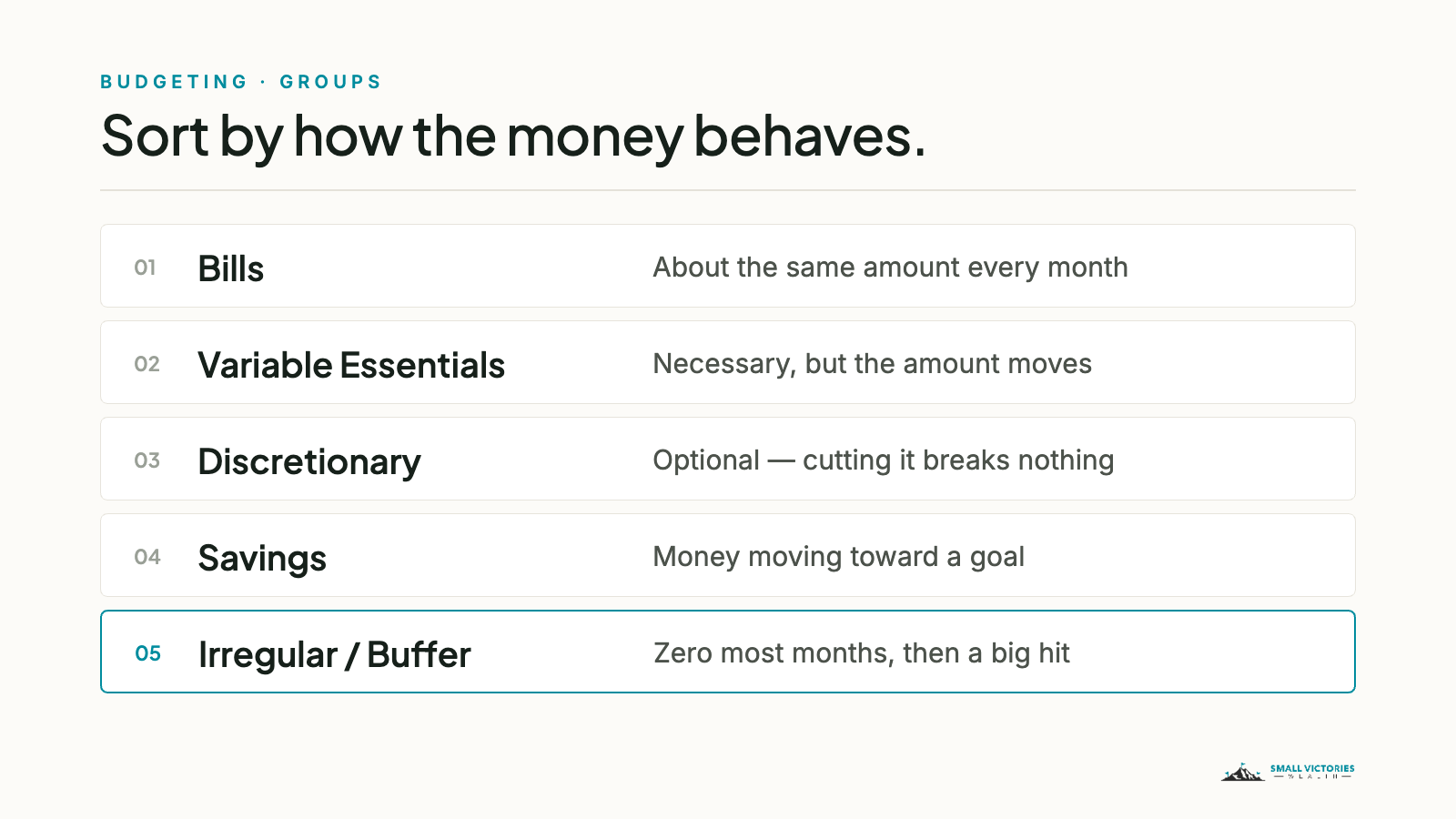
Here's the default layout, with the categories inside each group:
Bills: Mortgage / Rent · Property Tax · Utilities · Insurance · Loans & Leases · Childcare & Tuition · Subscriptions & Memberships · Home Services · Giving
Variable Essentials: Groceries · Transportation · Healthcare · Kids Everyday · Personal Care · Pets
Discretionary: Restaurants & Bars · Shopping · Travel · Entertainment · Home Improvement
Savings: Cash Savings · Investments · Retirement · College
Irregular / Buffer: Home Repairs · Auto Maintenance · Income Taxes · Professional Services · Gifts & Occasions · Needs Review
Notice the house shows up in three different groups. Scheduled upkeep like the pool service or pest control is a Bill. A burst pipe is a Home Repair in Irregular / Buffer. A kitchen remodel you chose to do is Home Improvement in Discretionary. If you schedule it, it's a Bill. If it surprises you, it's a Repair. If it's optional, it's an Improvement.
Categories: fewer than you think
About thirty categories covers most households. When there are sixty, every transaction turns into a judgment call, and a budget that's full of judgment calls is one people stop opening.
A few habits keep the list short. Merge anything tiny that isn't a tax line. Keep one catch-all, Needs Review, for the things you can't place yet, and empty it once a week. And before creating a new category, check whether a tag would do the job.
Tags: the finest layer
Here's the simplest test I know: if you'd set a monthly limit on it, it's a category. If you'd only ask what it cost afterward, it's a tag.
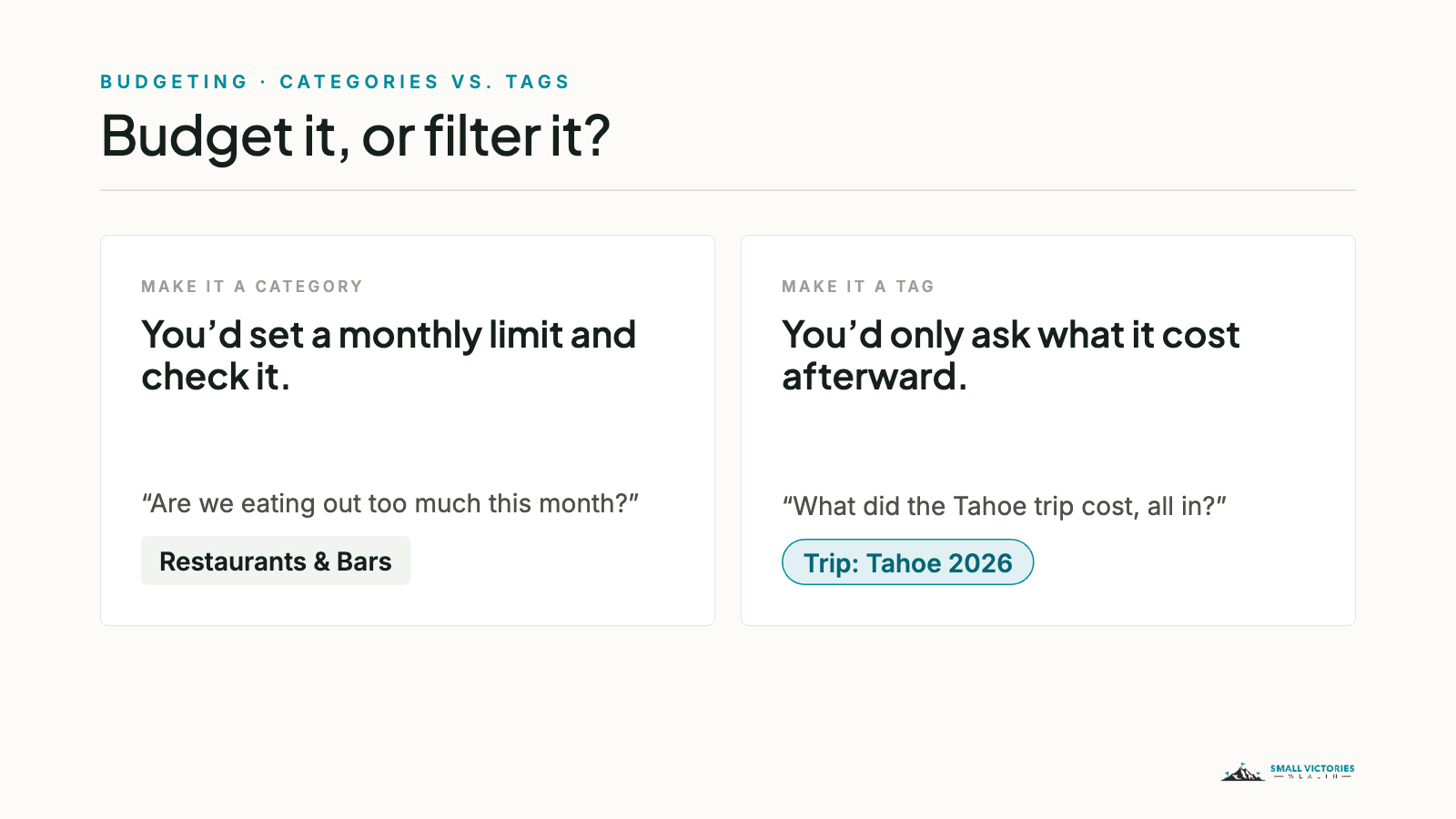
Tags work best when they follow one format: a short prefix, a colon, then the specific thing. The prefix keeps related tags together in Monarch's list and makes their meaning obvious. For example:
Kid: [Child’s Name] for anything that's clearly one child's, across Childcare, Kids Everyday, Healthcare, and College
Car: Minivan for gas, maintenance, the loan, and the insurance premium, so you can see what the car actually costs to own
Trip: Tahoe 2026 or Proj: Kitchen 2026 for anything with a start and an end
Tax: Deductible for the things you'll want to hand your tax preparer next spring
When a trip or project wraps up, you don't need to delete its tag. Rename it with a "z-" in front and it drops to the bottom of the list, and the history stays searchable. If you're new to tags, the intro post covers how to add one.
Own a rental or a business?
Rentals and a side business get their own groups, Rental Properties and Business, with categories that line up with the lines on your tax forms. The difference is that you don't budget them. You track them as profit and loss, and you keep them out of the household view so a rental repair never makes your grocery month look wild. A property tag, like Prop: Oak St, gives you each property's results with one filter.
Where to start
You don't have to rebuild everything this weekend. Start with the five groups, move your existing categories into them, and look at the month at the group level. Once that feels normal, trim the categories. Tags come last, one at a time, when a question comes up that a category can't answer.
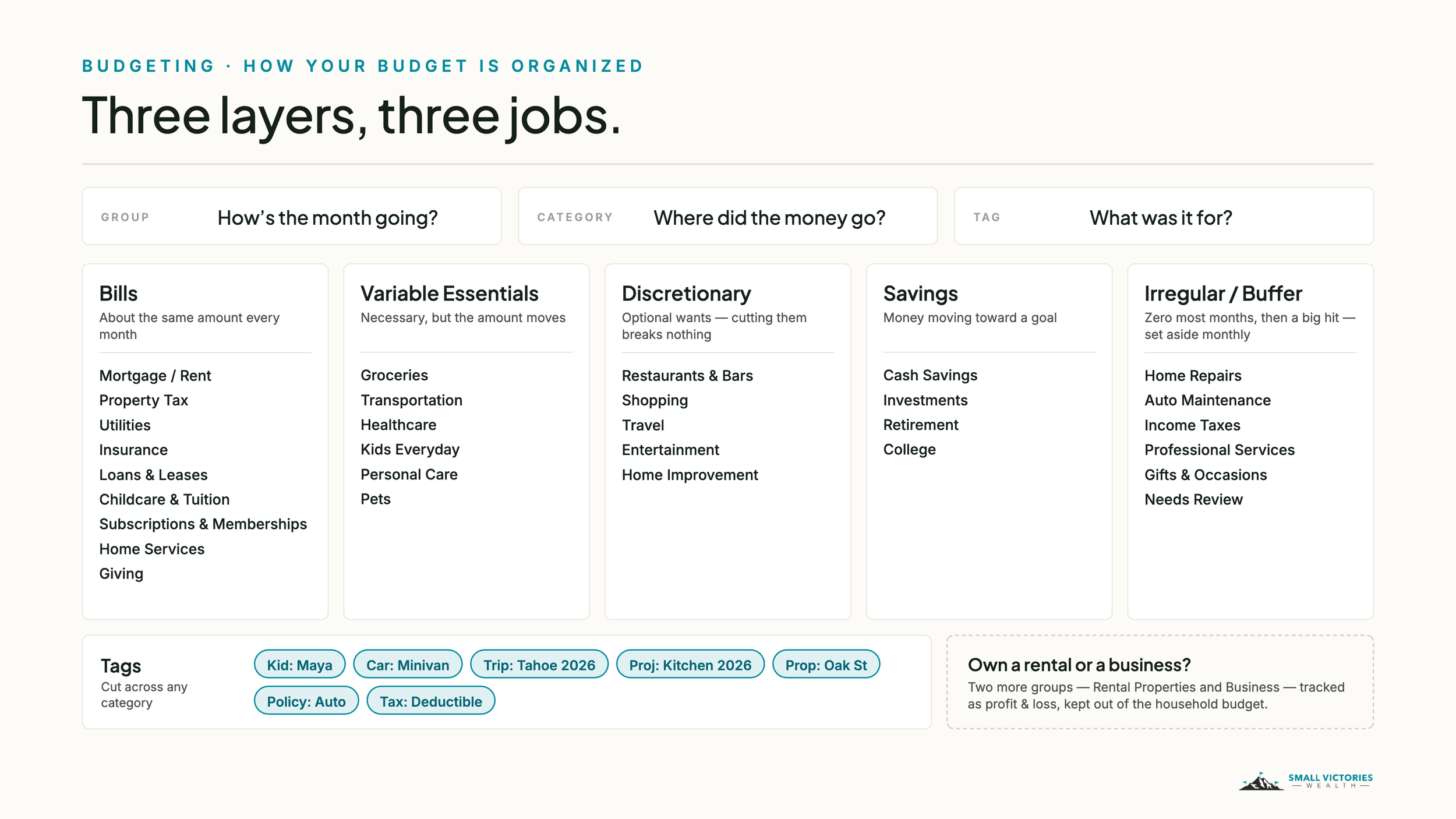
Here's the whole structure on one page. Click it to zoom in.
On Monarch: Monarch is a budgeting app we use with clients to connect accounts and track spending. Small Victories Wealth receives no compensation from Monarch — no referral fees, no affiliate arrangement, no revenue share. In most engagements we cover the cost of your access. It's one tool among several, and it may not be the right fit for every situation. This post is educational only and isn't a recommendation for your situation.