

Use Last Year's Spending to Pick Next Year's Benefits
Open enrollment is one of the few money decisions that locks in for a whole year, and most people make it in five minutes by picking whatever they had last time.
If you’ve been tracking your spending in Monarch, you already have the most useful input for this decision: what you actually spent on health care and childcare over the past year. Here’s how to use it, in about an hour.
Step 1: Pull last year’s number
This takes about five minutes on your computer.
In Monarch, open Reports → Spending. Set the date range to the last 12 months and filter to your health category (Insurance & Health in our budget models).
If you tag out-of-pocket medical costs (we use Tax: HSA Eligible), filter by that tag too.
Do the same for childcare if you pay for it.
Save the report. Next year, this step is one tap.
Write down three things: what you spent out of pocket on medical, dental, vision, and prescriptions; what you spent on childcare; and anything you already know is coming next year, like a baby, braces, or a planned procedure.
One gap to know about: premiums taken out of your paycheck never show up in Monarch. Find those on your pay stub or in your enrollment portal.
Step 2: Compare plans on a full year, not the premium
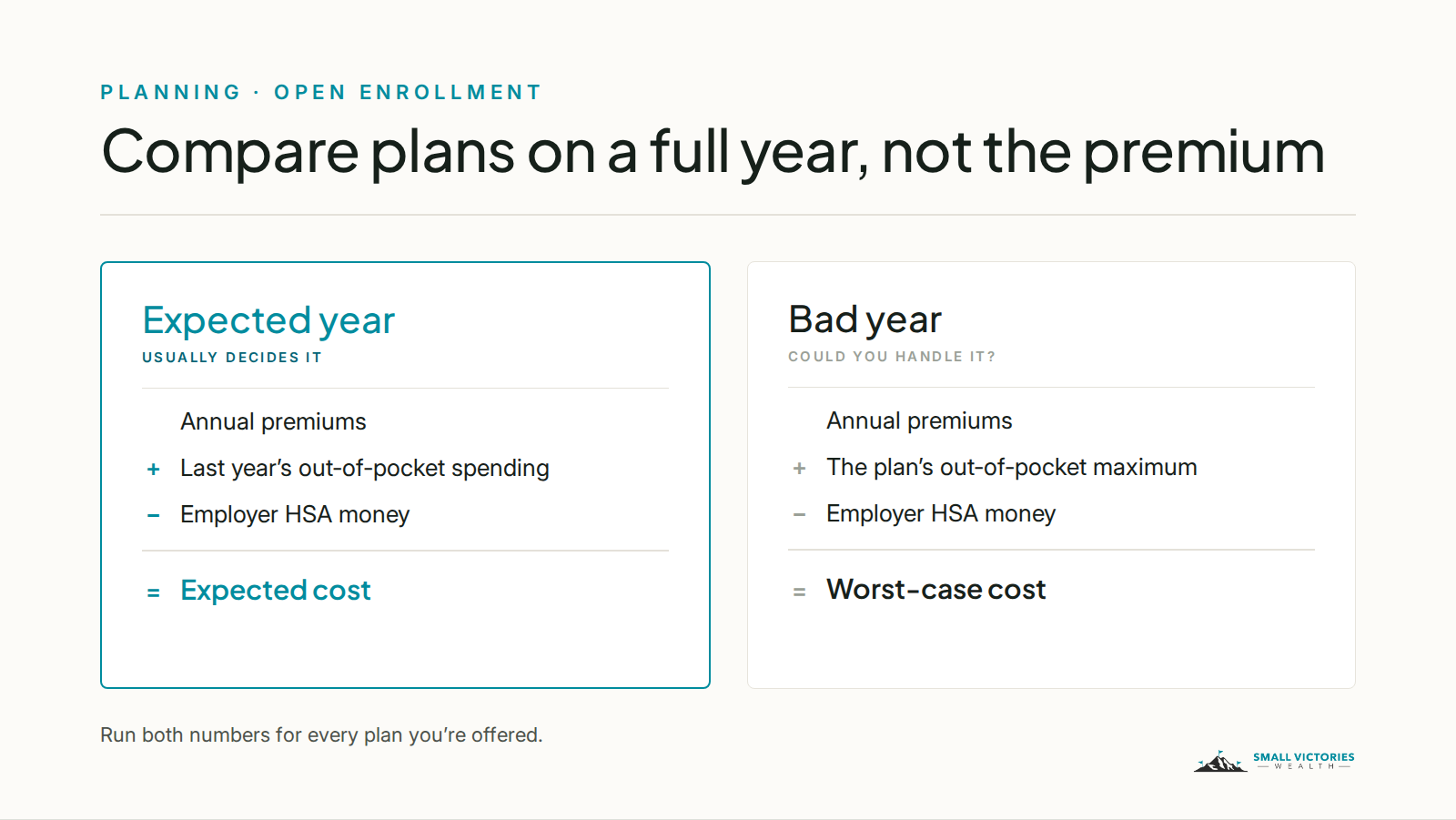
The premium is the number everyone looks at, and it’s only part of the cost. For each plan you’re offered, work out two numbers:
An expected year: annual premiums, plus the out-of-pocket spending you pulled in Step 1, minus any money your employer puts into an HSA.
A bad year: annual premiums, plus the plan’s out-of-pocket maximum, minus any employer HSA money.
The plan that wins on the expected year is usually your answer. The bad-year number tells you whether you could handle it if something went wrong.
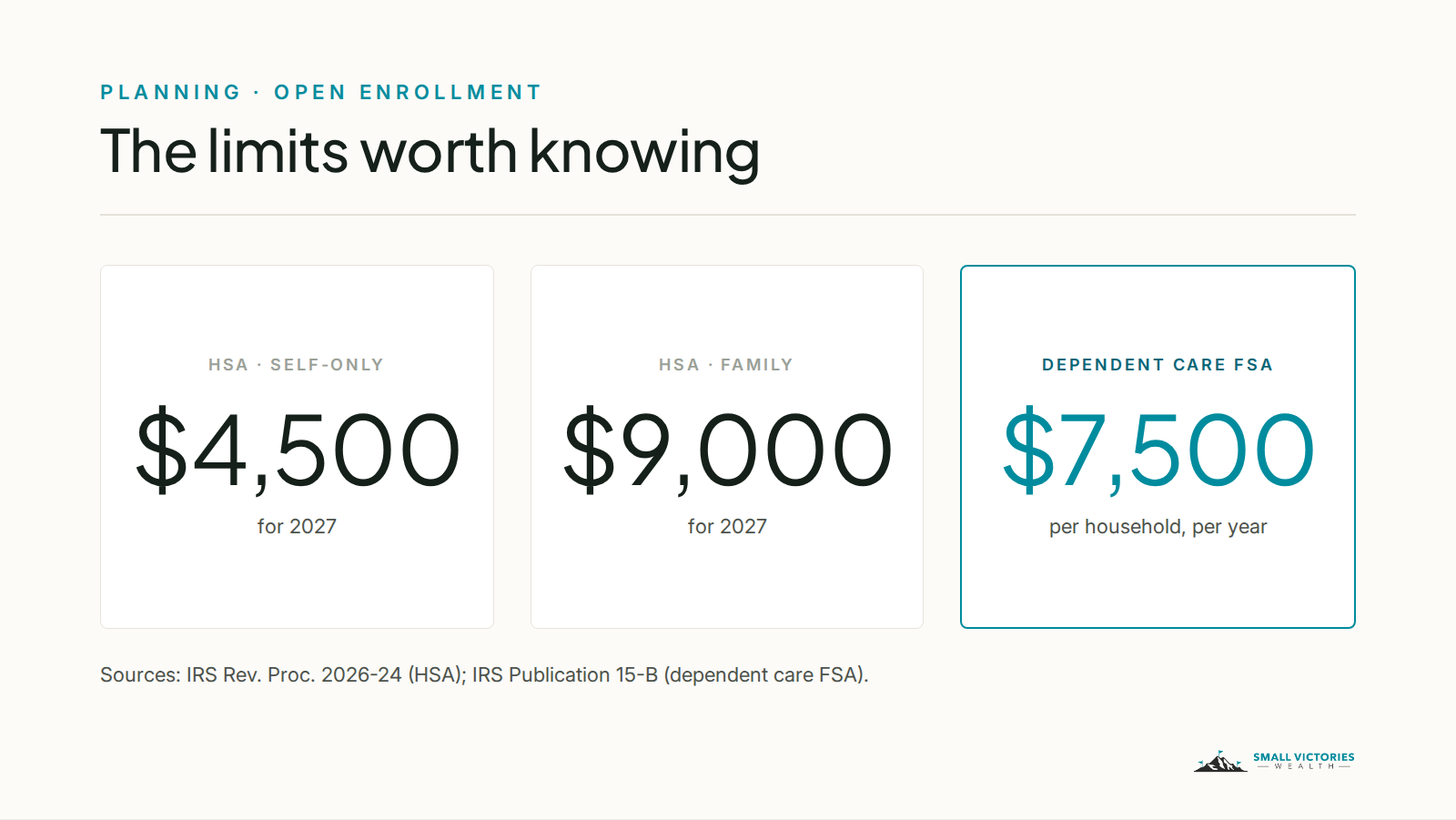
If one option is a high-deductible plan with an HSA, a few numbers matter for 2027. The plan must have a deductible of at least $1,750 for self-only coverage or $3,500 for family coverage, and out-of-pocket costs are capped at $8,700 or $17,400 (IRS Rev. Proc. 2026-24). You can put up to $4,500 into an HSA with self-only coverage, or $9,000 with family coverage, including anything your employer contributes.
HSA money isn’t use-it-or-lose-it. It rolls over every year and stays with you if you change jobs. That’s why a high-deductible plan often works well for people whose health spending is low and predictable. If Step 1 turned up a big number, or you know one is coming, run both plans before you decide.
Step 3: Size your FSAs to what you’ll actually spend
Flexible spending accounts save taxes, but unspent money is usually lost at the end of the plan year. Some employers allow a small carryover or a grace period, so check your plan’s rules.
Health FSA: put in only what you’re confident you’ll spend on predictable costs, like glasses, contacts, braces, or regular prescriptions. Your enrollment materials list the 2027 limit. If you’re choosing an HSA, you generally can’t also use a regular health FSA. Some employers offer a limited-purpose FSA for dental and vision instead.
Dependent care FSA: this one got a lot bigger. The limit is now $7,500 per household per year, or $3,750 if you’re married filing separately (IRS Publication 15-B). Use your childcare total from Step 1. The limit is per household, not per person, so if you and a partner both have access, decide together who enrolls and for how much.
If you use Monarch, tag each reimbursement with Reimb: DCFSA so you can see when you’ve been paid back in full.
Step 4: Check your 401(k) while you’re in the portal
You’re already logged in, so take two minutes on this:
Make sure you’re contributing at least enough to get your employer’s full match, if they offer one.
If you got a raise this year, consider sending part of it to your 401(k) before you get used to the bigger paycheck.
The IRS usually announces next year’s 401(k) limits in the fall. They’re posted on the IRS contribution limits page.
Your enrollment checklist
Have this open while you enroll:
Last year’s out-of-pocket health spending and childcare total
Anything big you already know is coming next year
Each plan’s premium, deductible, out-of-pocket maximum, and employer HSA contribution
Your expected-year and bad-year cost for each plan
Health FSA or limited-purpose FSA amount
Dependent care FSA amount, agreed with your partner
401(k) contribution rate and employer match
Beneficiaries on your life insurance and 401(k), still correct
Your enrollment deadline, on your calendar
After you enroll, update your budget
New premiums and contributions change your take-home pay starting in January. When your first paycheck of the year lands, update your budget to match. If you use flex budgeting, that means re-checking your flex number. We cover that in A Month in Monarch.
Benefits choices touch your taxes, your savings rate, and your retirement plan all at once, which is why they’re part of the planning work we do with clients. If you’d like a second set of eyes before your deadline, book a short intro call.
Before you decide: This post is educational only and isn’t a recommendation for your situation. Plan designs, carryover rules, and eligibility vary by employer, so check your plan documents. Limits shown are for 2027 (HSA) and plan years beginning in 2026 or later (dependent care FSA), as published by the IRS as of September 30, 2026.
Sources
On Monarch: Monarch is a budgeting app we use with clients to connect accounts and track spending. Small Victories Wealth receives no compensation from Monarch — no referral fees, no affiliate arrangement, no revenue share. Clients in our ongoing planning services get Monarch access as part of their fee; for our budget packages and Budget Support, you keep your own Monarch subscription. It's one tool among several, and it may not be the right fit for every situation.
